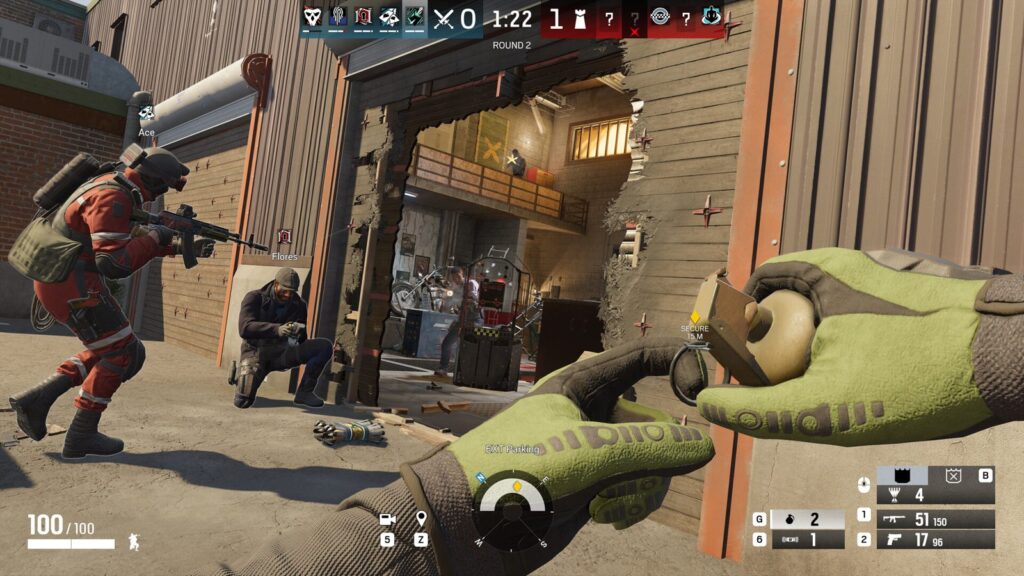
The best R6 console settings for ranked start with four numbers: a low aim-down-sights sensitivity (around 26 to start), a vertical sensitivity noticeably lower than your horizontal, a deadzone at the minimum your controller allows (usually 5%), and a classic aim response curve. Those four settings do more for your consistency than any sensitivity hack you’ll find in a 10-minute YouTube thumbnail, because they’re built around how aiming actually works in Siege rather than how it works in a faster arena shooter.
Below is a full recommended-settings table for PS5 and Xbox, the reasoning behind every value (so you can tune it to your own hands instead of copying blind), and a way to change settings without nuking the muscle memory you already have. We re-set sensitivity for new console boosters all the time, and the low-vertical setup here is the one that survives the transition. If you’re already grinding ranked and feel like your aim is the thing holding you back rather than your why you are stuck at your rank decision-making, this is where to start.
The recommended R6 console settings table
Treat these as a base, not gospel. Sensitivity is personal – the values below are a balanced starting point most console players can build from, drawn from common pro configs and the way Siege rewards horizontal micro-adjustments over vertical ones. Copy them, play a week, then tune one variable at a time.
| Setting | Recommended value | Why |
|---|---|---|
| Horizontal sensitivity | ~66 | Most aim corrections in Siege are side-to-side; you want flicks to enemies peeking your flanks to land fast. |
| Vertical sensitivity | ~33 | Kept lower than horizontal – players rarely make big vertical swings, and low vertical stabilizes recoil and headshot lines. |
| ADS sensitivity | ~26 (or lower) | Once you’re aiming down sights you’ve already found the target; you only need small corrections, so a low value keeps them precise. |
| Deadzone | 5% (or controller minimum) | The lowest your stick allows without drift. Higher deadzones add input delay that costs you peek timing. |
| Aim response curve | Classic | Stable, predictable turn that’s easy to build muscle memory on and quick on flank turnarounds. |
| Aim assist | Off / not relied on | Console ranked PvP doesn’t hand you the aim assist other shooters do – train raw stick control. |
| Graphics mode | Performance | Higher frame rate beats prettier shadows in a game decided by reaction time. |
| Audio profile | Night Mode | Captures quiet footsteps and rappels other profiles compress away – intel you can’t afford to miss. |
Ubisoft’s own ADS sensitivity guide is worth reading once, because ADS sensitivity scales differently per zoom level – a 1.5x ACOG and a 1.0x red dot don’t feel identical at the same number. If you main scoped operators, set your ADS sens for the optic you actually run.
Why horizontal sensitivity should beat vertical
This is the single most important idea in console Siege settings and the one casual configs get wrong. In Siege, the threats come from the sides – a roamer rounding a corner, an attacker swinging a doorway, a defender peeking a gap in a wall you just breached. The adjustments that win those fights are horizontal. You flick left, you flick right, you track a strafing target across your screen.
Vertical adjustments, by contrast, are small. You’re correcting from chest to head, or dipping for a crouched defender. You almost never need to swing your aim violently up or down. So a setup with high vertical sens buys you nothing useful and costs you a lot: every time you fire, recoil climbs, and a twitchy vertical sens turns recoil control into a wrestling match. Drop the vertical, keep the horizontal snappy, and your spray patterns calm down while your flicks stay fast. (The 80-horizontal, 80-vertical “spin-to-win” player exists in every Gold lobby. He gets one frag a round and dies holding an angle he overcorrected past. Don’t be that player.)
Deadzone and the aim response curve
Deadzone is the amount your stick can move before the game registers input. Set it as low as your specific controller tolerates without drifting on its own – 5% is the common floor (the r/Rainbow6 thread). Every extra percent of deadzone is extra delay between you pushing the stick and your operator turning, and in a game where peeker’s advantage is measured in milliseconds, that delay is a tax you pay on every single gunfight. The only reason to raise it is a worn stick that drifts; if yours is clean, keep it minimal.
The aim response curve (controller rotation) decides how stick movement maps to turn speed. Classic gives a linear, predictable relationship – push halfway, turn at half speed. That predictability is what muscle memory needs, and it makes the fast flank turnarounds Siege demands feel consistent. Updated or dynamic curves accelerate your turn as you push further, which can feel fast in a vacuum but makes precise micro-corrections harder to repeat. Most players climb faster on classic because their aim becomes reproducible. If your turns feel random from one round to the next, the curve is usually the culprit.
Sensitivity by playstyle
Once your base is dialed, you can lean it slightly toward how you actually play. Entry fraggers and roamers benefit from a touch more horizontal for fast swings; anchors who hold long angles can go a hair lower for stability. Here’s the spread.
| Profile | Horizontal | Vertical | ADS | Best for |
|---|---|---|---|---|
| Stable / anchor | ~50 | ~28 | ~22 | Holding angles, recoil control, defenders who don’t roam |
| Balanced (start here) | ~66 | ~33 | ~26 | Most players, both sides, all roles |
| Fast / entry-roam | ~75 | ~40 | ~30 | Entry fraggers, aggressive roamers, fast-swing playstyles |
Notice the vertical stays well below the horizontal in every profile. That ratio is the constant; the overall speed is the dial you turn for your comfort and your role.
If you’d rather not spend three weeks re-learning your aim while your rank slides, our Rainbow Six Siege rank boost team plays console ranked on your account and holds your MMR while you tune your settings in casual. It’s the cleanest way to experiment with a new sensitivity without paying for it on the ladder.
How to change settings without ruining your aim
The biggest mistake console players make is overhauling everything at once, playing two bad games, and reverting in a panic. Muscle memory takes days to adapt, not minutes. Do it methodically.
- Change one variable at a time. Drop your vertical sens, leave everything else, and play a week before touching anything else. If you change five settings at once you’ll never know which one helped.
- Give every change at least 20-30 games. The first few feel worse no matter what – that’s adaptation, not the setting being wrong. Judge it after your hands adjust.
- Test in a real environment. Custom games against bots won’t reveal how a sens feels under the pressure of a ranked peek. Play unranked, not the firing range.
- Track the result, not the feeling. Use R6 Tracker to watch your headshot percentage and round win rate before and after. Feelings lie; the stats don’t.
- Once it’s dialed, leave it. The players who climb fastest find a config and commit. Tinkering every week resets your muscle memory back to zero on a loop.
One honest caveat: settings raise your ceiling for consistency, but they don’t fix decision-making. The lower vertical sens will win you more gunfights; it won’t tell you when to peek, when to rotate, or when to save your drone. If your aim is already solid and you’re still losing rounds, the problem is upstream of your sensitivity, and that’s a different fix.
Frequently asked questions
What sensitivity do R6 console pros use?
Most pros run a higher horizontal than vertical, commonly in the rough range of 50-75 horizontal and 30-45 vertical, with a low ADS sens around 25-35. The exact numbers are personal preference; the consistent part across configs is the ratio – horizontal always beats vertical because Siege aim corrections are mostly side-to-side.
What is the best deadzone for R6 on console?
As low as your controller allows without stick drift, usually around 5%. Every extra percent of deadzone adds input delay between your stick and your turn, which costs you peek timing in a game decided by milliseconds. Only raise it if your stick drifts on its own.
Should I use classic or updated aim response curve in R6?
Classic for most players. It maps stick movement to turn speed linearly, which makes your aim predictable and easy to build muscle memory on, including the fast flank turnarounds Siege demands. Updated and dynamic curves accelerate as you push further and are harder to repeat precisely.
Is aim assist on in R6 ranked?
No – console ranked PvP doesn’t hand you the kind of aim assist other shooters give, so don’t build your settings around it. Train raw stick control. Confirm the current behavior in Ubisoft’s support docs, since this is the sort of thing that can change between updates.
What ADS sensitivity should I use in R6?
Start low, around 26 or below. Once you’re aiming down sights you’ve already found your target, so you only need small corrections – a low ADS sens keeps those corrections precise and makes recoil control easier. Remember it scales per zoom level, so tune it for the optic you actually run.
Do better settings actually raise your rank?
They raise your consistency, which raises your rank over time. Stable, low-vertical aim wins more gunfights, and gunfights win rounds. Settings won’t fix your decision-making or your map knowledge, but they remove the mechanical excuse so the rest of your game can carry you.
Dial the base, change one thing at a time, and give your hands a week to catch up – that’s the whole method. For the operators that pair best with a clean console config, our guide to the best operators for solo queue covers the self-sufficient picks that reward stable aim. And if you’d rather keep your rank steady while you experiment, our team can lock in the rank on console with real top-tier players on your account.